2.06.2025

2x speed playback feature has been updated!


2x playback updated

Hello, this is the KMPlayer team.
We've added a highly requested feature just for you! πŸŽ‰

Now, just like on YouTube, press and hold the screen to instantly switch to 2x playback speed.
This makes it super easy to fast-forward through long videos or quickly find key moments!

Enjoy a faster and more convenient video-watching experience! ⚡


✅ How to Use It?

πŸ“Œ It’s incredibly simple!
✔️ Settings - Gestures - Turn on the option to long press to play at 2x speed.
1️⃣ While playing a video, press and hold the screen to instantly switch to 2x speed 
2️⃣ Keep holding to maintain 2x speed!  
3️⃣ Release to return to normal playback

🎯 Who Will Love This Feature?
✔️ Viewers who want to quickly find key moments in a video
✔️ Anyone looking to watch long videos in less time
✔️ Fans of YouTube’s 2x speed playback feature


πŸ“’ Update now and try out this amazing new feature!

※ You can turn the [Long press to play at 2x speed] option

on or off in Settings - Gestures.

Give it a go and let us know your thoughts!
Your valuable feedback helps us improve KMPlayer for you.
Thank you! πŸ˜ŠπŸ™Œ


▼ KMPlayer Homepage ▼

https://www.kmplayer.com


▼ KMPlayer Android & iOS application ▼

Download on the App Store


1.06.2025

KMPlayer Lock Widget Update!


Lock widget updated

Hello, this is the KMPlayer team.

The KMPlayer lock widget has been updated!
From now on, control your videos and music more conveniently on your lock screen!

Easy control with the newly added random playback and playback mode buttons.
This update is designed to enable intuitive multimedia control as well as fast access,
making it more convenient to use in everyday life.


πŸ†• What's new about it?


1. Add random playback and playback mode πŸŽ΅


You can explore and play music right away with enhanced control on the lock screen.
Did you want to repeat a certain song while listening to music or enjoy a new song randomly?
Random playback and repeat playback features are now available even on the lock screen. 
Simply set the play mode you want in the widget!


2. Self-image exposure if thumbnail(album cover) is not available 🎨


Fixed an issue where the widget looks empty if the content you are playing does not have thumbnails (cover images).
Now we expose our own images for content that doesn't have a cover image, providing a consistent aesthetic experience.


⚠️ Certain features may not be displayed in some environments, such as One UI 6.
: Please note that some functions may be displayed or supported differently depending on the device or OS version you use.


▼ KMPlayer Homepage ▼

https://www.kmplayer.com


▼ KMPlayer Android & iOS application ▼

Download on the App Store

4.15.2024

KMPlayer UX Improvement Update

KMPlayer Update


Hello, this is the KMPlayer team.

You can find more convenient UX in the updated version of 34.04.181

I'll let you know the key updates! πŸ˜†


1. Add directly to My List from the playback item.


Now you can add desired items to My List right during playback.

If you see a file you want to add to My List while watching media, you can easily add it by pressing the ➕ icon at the top.


2. Randomly change My list order


You can freely change the order of media items in My list.

You can drag and drop the desired irtems to move them into a specific order.


3. My list entire selection function


You can now select all items at once in My List.

If you press and hold a file to enter full selection mode, you can delete and play the files in batches.


4. Add media in Mylist to another Mylist


You can easily add videos and music from My List to other My Lists.


5. Show bookmark thumbnails


Thumbnail images are now displayed for bookmarked videos & music.

You can visually check each bookmarked location and quickly find the file you want.


6. Hide folders at once on the home screen


You can hide multiple folders at once from the selection screen.

Hiding folders has been improved to be handled more efficiently.


KMPlayer is continuously evolving by reflecting user feedback, and will continue to add more features to provide users with the best media playback experience.

Other errors have also been fixed, so enjoy the more convenient KMPlayer right away!😊


▼ KMPlayer Homepage ▼

https://www.kmplayer.com


▼ KMPlayer Android & iOS application ▼

Download on the App Store

11.14.2023

Introducing KMPlex UI/UX update

Hi users this is KMPlex

In this 33.11.092 update version, our UI / UX are better improved previous version.


Changes to the Home Screen


The information about the grades I have acquired and the points history has been improved for a clear overview on the home screen. The user interface has been enhanced to easily display various important notifications and promotion conditions.


Additionally, through the "Use Points" button, you can utilize the points you have earned, and with the "Money Box," you can check transaction history, detailed grade information, and item acquisition details.


Guidance on Various Point Accumulation Methods

Guidance is provided on various methods to accumulate points, including the "Daily Collection" offered by KMPlex, where you can collect points daily through activities such as roulette, bingo, and media viewing.


Through "Unlimited Earning," you can enjoy a variety of entertainment, including games, shopping, and app installations, to accumulate points as much as you desire via various offers.


Improvements to Point History


Using the "Use" menu, you can easily check your current points and upcoming points to be accrued. Furthermore, you can use the points you possess through various gift card exchanges such as Naver Pay, CU, and MBL or CBK exchanges.


▼ KMPlayer Homepage ▼

https://www.kmplayer.com


▼ KMPlayer Android & iOS application ▼

Download on the App Store

8.29.2023

youtube download video free - best video player


youtube download video for free

Greetings, customers. This is the KMPlayer team.

You can now very easily and very faset download youtube video files and audio files for free when using KMPlayer PC or KMPlayer 64X.

You can download youtube videos as well as convert them to mp3 files. 


<How to use>

1. Go to the YouTube site and copy the URL address of the video you want to download.

2. Launch KMPlayer PC.

3. Click on the "Download" icon located at the bottom left corner.

4. The URL address will be automatically pasted, and a settings menu will appear.

5. Select your video and audio quality settings.

6. Start the download and enjoy watching videos.


πŸ‘‡πŸ‘‡πŸ‘‡ Download Best Free Video Player πŸ‘‡πŸ‘‡πŸ‘‡


Also, users had to use the wired connection and file transfer method provided by each mobile operating system in order to transfer files from their PC to KMPlayer. 

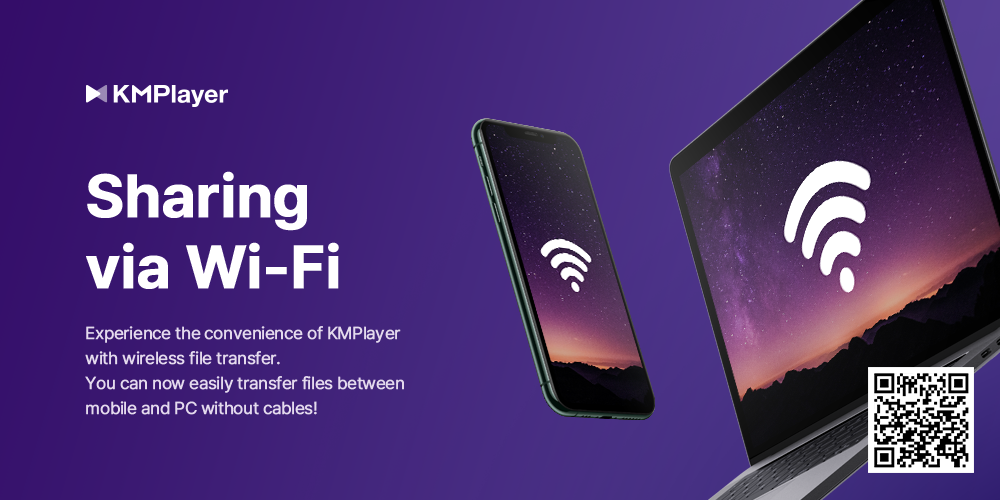
Transfer Video & audio file via Wi-Fi


Please, 

The user can only download videos and recordings that the copyright holder has allowed.

The downloaded file should only be used for personal use, not for profit.

Redistribution is the responsibility of the user of the user and is protected by copyright.


▼ KMPlayer Homepage ▼

https://www.kmplayer.com


▼ KMPlayer Android & iOS application ▼

Download on the App Store


8.17.2023

[KMPlayer] KMPlayer PC update announcement (Youtube Download)

youtube download - free video player

Greetings, customers. This is the KMPlayer team.


We are excited to announce a feature update for KMPlayer PC.


You will find a download icon at the bottom left with this update. You can now easily download YouTube videos and audios for free when using KMPlayer PC.


<How to use>

1. Go to the YouTube site and copy the URL address of the video you want to download.

2. Launch KMPlayer PC.

3. Click on the "Download" icon located at the bottom left corner.

4. The URL address will be automatically pasted, and a settings menu will appear.

5. Select your video and audio quality settings.

6. Start the download and enjoy watching videos 


And, You can transfer the video/audio files from PC to mobile or download files from mobile to PC.

Sharing via Wi-Fi (wireless file transfer)

file transfer via wifi


▼ KMPlayer Homepage ▼

https://www.kmplayer.com


▼ KMPlayer Android & iOS application ▼

Download on the App Store

5.03.2023

New Update: Sharing via Wi-Fi (wireless file transfer) feature - Android, iOS Available


Hello, this is the KMPlayer team.


We introduce a new Sharing via Wi-Fi feature in KMPlayer, which is a wireless file transfer feature that makes it much easier to transfer video and music files from a PC to KMPlayer.


Previously, users had to use the wired connection and file transfer method provided by each mobile operating system in order to transfer files from their PC to KMPlayer. Now, with the new Sharing via Wi-Fi feature, users can easily transfer their files by simply entering an address into the internet browser.


The method for using Sharing via Wi-Fi (wireless file transfer) feature is as follows:

1. Connect the same Wi-Fi to your phone and PC

2. Activate the Sharing via Wi-Fi feature in the KMPlayer app

3. Approve folder access permission

4. Confirm the IP address and port number that has been issued

5. Execute the internet browser on your PC and enter the IP address and port number in the address bar

    (※ The wireless file transfer feature is optimized for the Chrome browser. Please use Chrome browser.)

6. Transfer files from PC to mobile or download files from mobile to PC.


※ Please note that to use the Sharing via Wi-Fi feature, both the PC and mobile must be connected to the same wireless network.


πŸ‘‰πŸ‘‰πŸ‘‰ youtube download video free best video πŸ‘ˆπŸ‘ˆπŸ‘ˆ


※ Service may be changed according to the circumstances of the company.


▼ KMPlayer Homepage ▼

https://www.kmplayer.com


▼ KMPlayer Android & iOS application ▼

Download on the App Store