Showing posts with label #freevideoplayer. Show all posts

8.12.2025

πŸŽ‰KMP Customer Lounge is Now Open – Let’s Build the Best Video Player Together!


KMP Customer Lounge


KMPlayer, the No.1 multimedia player trusted by millions worldwide,
is excited to announce the launch of the KMP Customer Lounge.

This is the place where you can:

  • Suggest new features

  • Share usage tips

  • Solve playback issues together with the community

Whether you enjoy a free video player, a 4K video player, or an ad-free video experience,
your feedback can help shape KMPlayer’s future.
Join us today and be part of our global community!

πŸ‘‰ Go to KMP Customer Lounge

8.29.2023

youtube download video free - best video player


youtube download video for free

Greetings, customers. This is the KMPlayer team.

You can now very easily and very faset download youtube video files and audio files for free when using KMPlayer PC or KMPlayer 64X.

You can download youtube videos as well as convert them to mp3 files. 


<How to use>

1. Go to the YouTube site and copy the URL address of the video you want to download.

2. Launch KMPlayer PC.

3. Click on the "Download" icon located at the bottom left corner.

4. The URL address will be automatically pasted, and a settings menu will appear.

5. Select your video and audio quality settings.

6. Start the download and enjoy watching videos.


πŸ‘‡πŸ‘‡πŸ‘‡ Download Best Free Video Player πŸ‘‡πŸ‘‡πŸ‘‡


Also, users had to use the wired connection and file transfer method provided by each mobile operating system in order to transfer files from their PC to KMPlayer. 

Transfer Video & audio file via Wi-Fi


Please, 

The user can only download videos and recordings that the copyright holder has allowed.

The downloaded file should only be used for personal use, not for profit.

Redistribution is the responsibility of the user of the user and is protected by copyright.


▼ KMPlayer Homepage ▼

https://www.kmplayer.com


▼ KMPlayer Android & iOS application ▼

Download on the App Store


8.17.2023

[KMPlayer] KMPlayer PC update announcement (Youtube Download)

youtube download - free video player

Greetings, customers. This is the KMPlayer team.


We are excited to announce a feature update for KMPlayer PC.


You will find a download icon at the bottom left with this update. You can now easily download YouTube videos and audios for free when using KMPlayer PC.


<How to use>

1. Go to the YouTube site and copy the URL address of the video you want to download.

2. Launch KMPlayer PC.

3. Click on the "Download" icon located at the bottom left corner.

4. The URL address will be automatically pasted, and a settings menu will appear.

5. Select your video and audio quality settings.

6. Start the download and enjoy watching videos 


And, You can transfer the video/audio files from PC to mobile or download files from mobile to PC.

Sharing via Wi-Fi (wireless file transfer)

file transfer via wifi


▼ KMPlayer Homepage ▼

https://www.kmplayer.com


▼ KMPlayer Android & iOS application ▼

Download on the App Store

5.03.2023

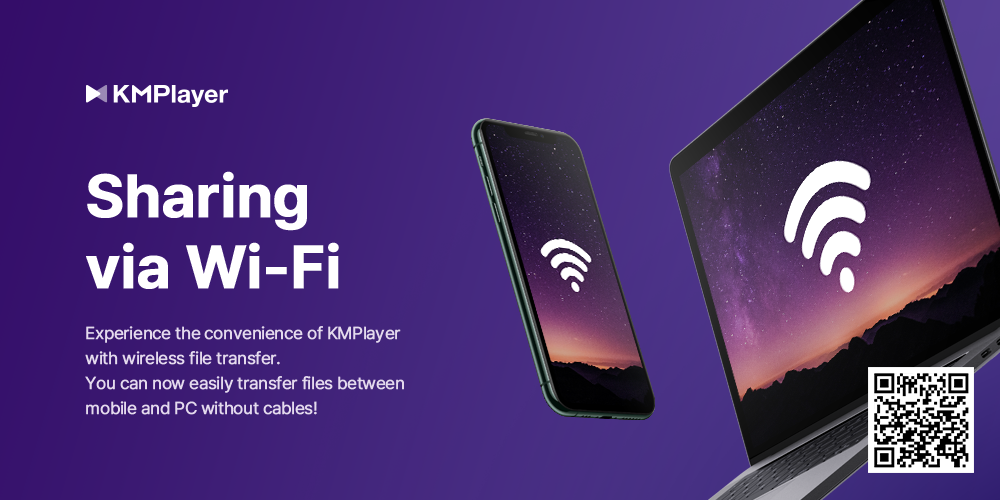
New Update: Sharing via Wi-Fi (wireless file transfer) feature - Android, iOS Available


Hello, this is the KMPlayer team.


We introduce a new Sharing via Wi-Fi feature in KMPlayer, which is a wireless file transfer feature that makes it much easier to transfer video and music files from a PC to KMPlayer.


Previously, users had to use the wired connection and file transfer method provided by each mobile operating system in order to transfer files from their PC to KMPlayer. Now, with the new Sharing via Wi-Fi feature, users can easily transfer their files by simply entering an address into the internet browser.


The method for using Sharing via Wi-Fi (wireless file transfer) feature is as follows:

1. Connect the same Wi-Fi to your phone and PC

2. Activate the Sharing via Wi-Fi feature in the KMPlayer app

3. Approve folder access permission

4. Confirm the IP address and port number that has been issued

5. Execute the internet browser on your PC and enter the IP address and port number in the address bar

    (※ The wireless file transfer feature is optimized for the Chrome browser. Please use Chrome browser.)

6. Transfer files from PC to mobile or download files from mobile to PC.


※ Please note that to use the Sharing via Wi-Fi feature, both the PC and mobile must be connected to the same wireless network.


πŸ‘‰πŸ‘‰πŸ‘‰ youtube download video free best video πŸ‘ˆπŸ‘ˆπŸ‘ˆ


※ Service may be changed according to the circumstances of the company.


▼ KMPlayer Homepage ▼

https://www.kmplayer.com


▼ KMPlayer Android & iOS application ▼

Download on the App Store

3.14.2023

KMPlayer - Play to Earn improve service

 Following the app-tech service market, we are an updated media play earning service.


Not only can you watch and listen to content using KMPlayer, but you can also earn points. These points can be converted to MBL or CBK, and you can transfer coins to exchange(e.g. Upbit, Binance, etc).


Points are automatically earned when users play videos, music and Youtube. You can earn 4P per sec and with a maximum of 5,000P.


and you can also earn up to 5,000P extra points benefit by using the new feature “Random Points”.

※ The Random Points can be used up to 12 times a day, and you can earn points by watching AD.


Thank you so much.


※ Policy may be subject to change according to the company's circumstances.


▼ KMPlayer Homepage ▼

https://www.kmplayer.com


▼ KMPlayer Android & iOS application ▼

Download on the App Store